Autor: Ariel Antigua

  • Cilium BGP Lab, locally!

    Maybe you already know about Cilium, You don’t?
    Go read https://docs.cilium.io/en/stable/overview/intro/ and come back !!

    Hello again!
    So now you want to learn about Cilium BGP functionality, for me this is one of the most exciting features of Cilium, maybe the reason is the addiction that I already have for BGP, who knows (AS207036). Back to the point, with Cilium you can establish a BGP session with your routers (Tor, border, or core, you decide.) and announce PodCIDR or LoadBalance for services.

    For this learning exercise, we will use Kind and other tools to run a K8s cluster locally on any Linux (Windows or MacOS) machine. There is a lot of info on the internet on how to get Kind up and running and even how to install Cilium, I decided to build a collection of Cilium Labs (ciliumlabs) to speed up the process of getting a Cilium testing environment up and running.

    First, go and clone the repo, all the information is on the README of each lab type, in this case, bgp/README.md is the one with the steps to get this ready, but we first need to install the prereqs. The prerequisites are listed in the main README file. In my environment, all this is met so I can proceed with the lab creation.
    (más…)

  • Platform9 KubeVirt solution.


    This is my opinion about this platform.

    A few weeks ago, Platform9 announced a Hands-on-Lab for their KubeVirt implementation, and after using Harvester for running VMs mainly for deploying Rancher RKE clusters, I got my hands on this platform and the differences are huge.

    First, Platform9 keeps its offering very close to the upstream project, what does this mean, it looks like you installed KubeVirt manually in your K8s cluster, this is good. The good thing about it is that you are more familiar with the solution and when the time to move to another KubeVirt offering comes, the changes will be minimal.

    (más…)

  • Creating Linux VM with Harvester HCI.

    In a previous article, we saw how to integrate Harvester in Rancher UI, and from there we were able to request a new K8s cluster with just a few clicks. Now is Virtual Machine time. How fast can we deploy a Linux VM.

    Look at https://arielantigua.com/weblog/2023/12/harvester-hci-en-el-homelab/

    For installing Harvester.

    Linux VM.

    This is easier than expected. You just need an img or qcow2 file imported into Harvester. Navigate to Images and click Create.

    (más…)

  • Ceph on Proxmox as Storage Provider.

    For a few months, I’ve been reading about Ceph and how it works, I love distributed stuff, maybe the reason is that I can have multiple machines and the idea of clustering has always fascinated me. In Ceph, the more the better!

    If you have multiple machines with lots of SSD/NVME the Ceph performance will be a lot different than having a 3-node cluster with only one OSD per node. This is my case, and the solution has been working well.

    Installing Ceph on Proxmox is just a few clicks away, is already documented in https://pve.proxmox.com/wiki/Deploy_Hyper-Converged_Ceph_Cluster

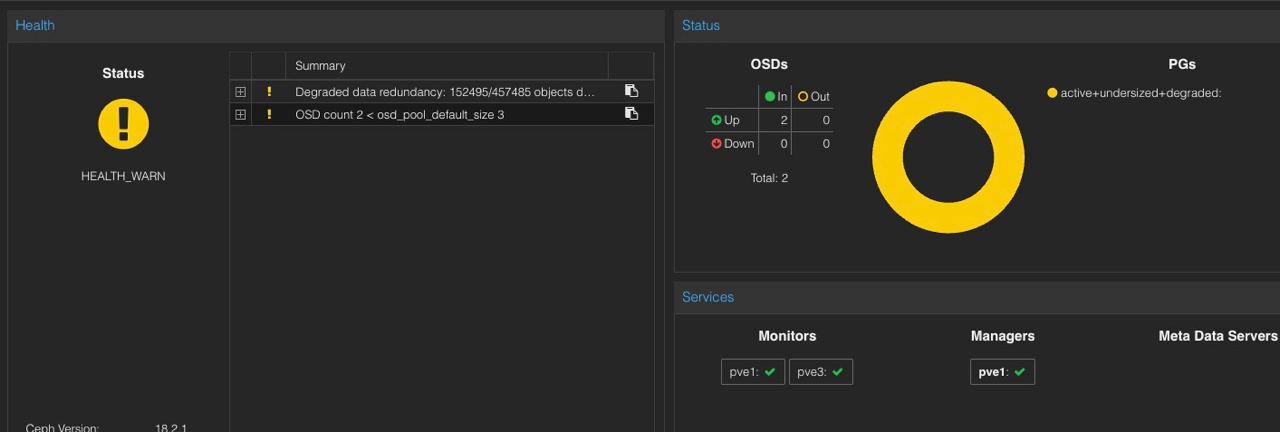
    At first, I have two nodes and the state of Ceph was faulty.

    A screenshot of a computer Description automatically generated

    The crush_map created by Proxmox is a 3-host configuration, that adds at least one OSD to the cluster, in this picture, there were only 2 hosts with 1 OSD each.

    (más…)

  • Release the Ceph !


    A black and red octopus with white text

Description automatically generated

    The Ceph documentation states that you need more than 3-4 host to have a decent performance, but this is a Homelab, I cannot afford to be running more than 3 machines for this.

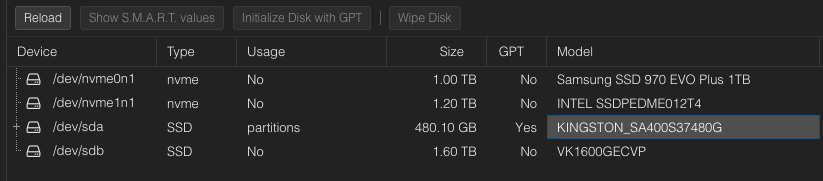
    Just installed Proxmox on the 2nd machine.

    A screenshot of a computer

Description automatically generated